The Cost of Waiting: How to Rescue Your Team From Slow CI Pipelines
Jul 2, 2026
Estimated reading time: 6 minutes and 44 seconds
Table of Contents
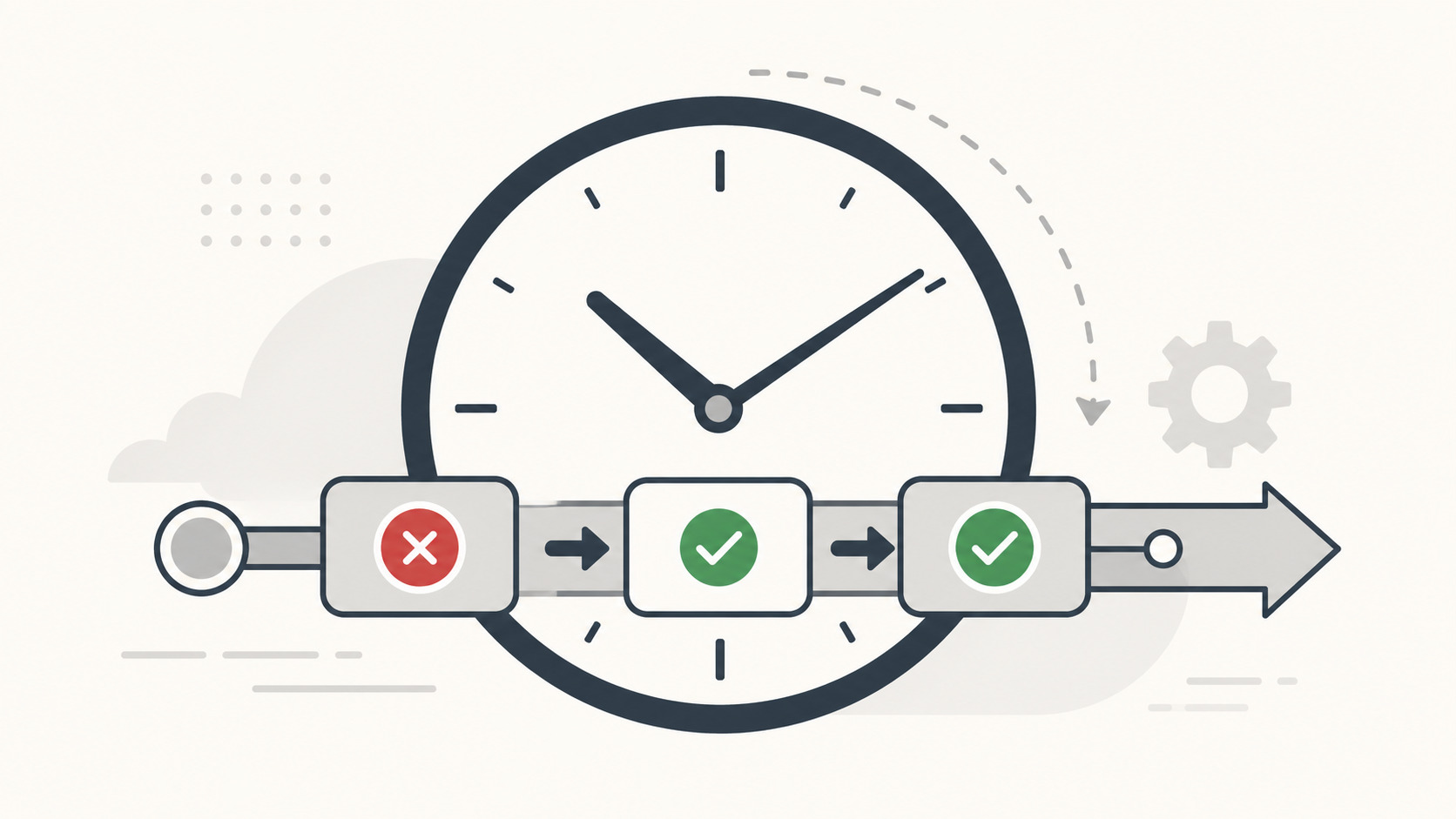
One of the biggest things that impacts a business’s developer experience for engineering teams is your CI pipeline time. Why is this important?
Let’s say you have a very thorough test system that has all the good CI/CD stuff. It has build mechanisms you use to deploy later on, unit tests, integration tests and things like that. But you are noticing those pipelines are taking a lot of time to run.
Worse, your CI is configured to run for every single PR time and on every single commit.
At the same time, your engineering teams are being afflicted with flaky tests. Some tests aren’t really wrong, but they fail from time to time due to race conditions or environment hiccups. For our purposes, the cause doesn’t really matter, but you see that you need to wait 15 minutes or more to run your CI suite. Then it fails on a flaky test.
You can see how this becomes pretty inefficient. Let’s say you just need to add a single line of code to fix a critical production issue, change behavior ever so slightly or perhaps just reword. some piece of documentation. But you notice you have to wait on this massive loop anyway.
These are the main things that hinder developer velocity. What can we do about this?
In practice, CI optimization usually comes down to five areas: flaky test management, runner sizing, caching, selective workflows and test impact analysis.
Let’s look at the main strategies.
Strategy 1: Taming Flaky Tests
Flaky tests are a direct tax on developer velocity. To handle them, you have two primary options.
Automated Test Retries (The Short-Term Patch)
By definition, they fail on some random condition, so just retry them until they pass.
There are testing libraries or small extensions that provide you with retriable decorators
for tests, say pytest-flaky, javascript max-retries or rust #[test_retry] for example. Mark
your tests as flaky and repeat it a couple of times and configure it to green on the first passing
run.
The downside: For tests that are genuinely failing because of a real code bug, it will retry ten times (or whatever setup you did) instead of failing fast.
Sometimes changes unrelated to flaky errors trigger a condition that makes that flaky test fail every time, no matter how many retries you have configured.
For this, you probably want to do a more permanent solution.
Actually Fixing Them (The Permanent Solution)
Just fix them! Sure, simple enough, but it is the best way to ensure your tests are reliable.
My recommendation is taking your time and prioritizing your capacity well. File a ticket on the backlog and prioritize it when possible. Try to optimize those specific test cases and remove the flakiness, maybe even refactor the test to make it more reliable. Dig in to find the exact conditions making your test flaky.
This does imply you need to inventory your tests. Hopefully, you track this history on your CI provider’s logs, because generally they do keep records of the specific tests that are failing most often.
Strategy 2: Right-Sizing Your Resource Classes
The second thing you can do to optimize your pipeline is tuning your resource class.
Some CI providers provide insights directly onto this. If you pay attention, you may see banners with automatic recommendations on what you can do based on machine learning models. But you can easily do this by yourself and use your own engineering judgment.
Look into your recent test runs and pick an execution to look for some Resources tab. See how much of your compute is actually being used.
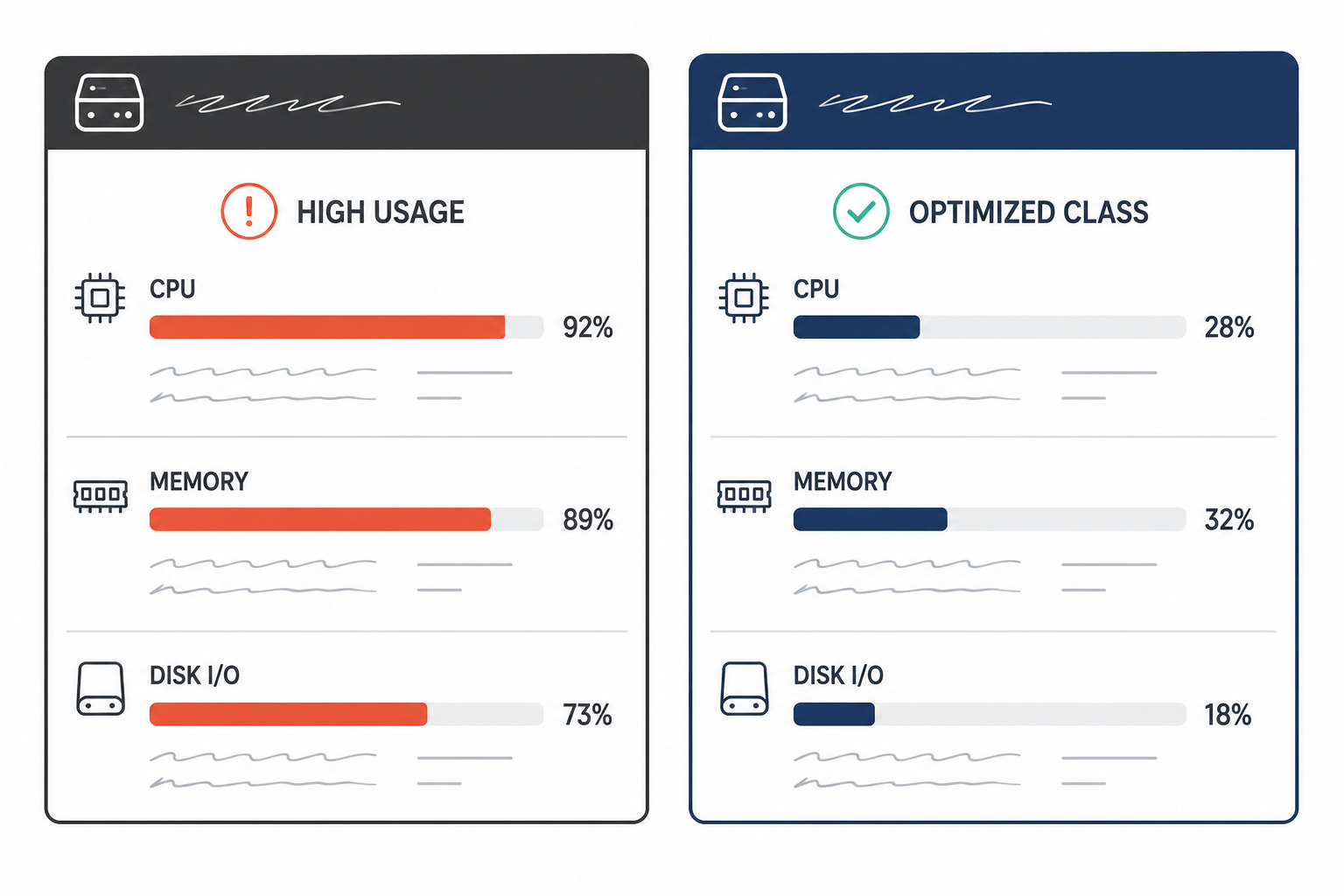
Track things like:
- Memory Usage: Is your test suite hitting the container ceiling?
- CPU Load: Are you pinning the cores throughout the runtime?
- Network Usage: Are heavy integration steps blocking execution?
If those metrics are constantly topped out, it directly impacts your execution times. Your tests run slowly because you’re throwing more parallel tasks at the worker than it can physically handle.
Use those analytics metrics as a clear guide on whether you should upscale or downscale your resource classes on your runners. It’s pretty simple.
Strategy 3: Cache, cache, cache
Most production systems have a significant dependency graph, with multiple libraries from different vendors, each possibly depending on shared libraries in your system. Additionally, to run your test suites, you’ll have to compile your code somewhere, which will produce cached objects.
The strategy here is simple: just cache your dependencies and build artifacts and restore them before running your tests.
Libraries like in node, rust, go and python are declarative, so you can key your cache by
the checksum of your lockfile or dependency manifest, such as package-lock.json, pnpm-lock.yaml,
Cargo.lock, go.sum or poetry.lock. Each language package manager drops the files in some place,
so cache it and restore it.
For build artifacts, this can be docker layers, dependent binaries or compiled objects before linkage.
Strategy 4: Selective Workflows
Not every workflow needs to run on every PR, maybe not even on every commit. Going even further, the entire suite does not need to run for some types of changes.
Let’s say you want to just change documentation on your repository or edit some skill. Why run unit tests, build and everything else?
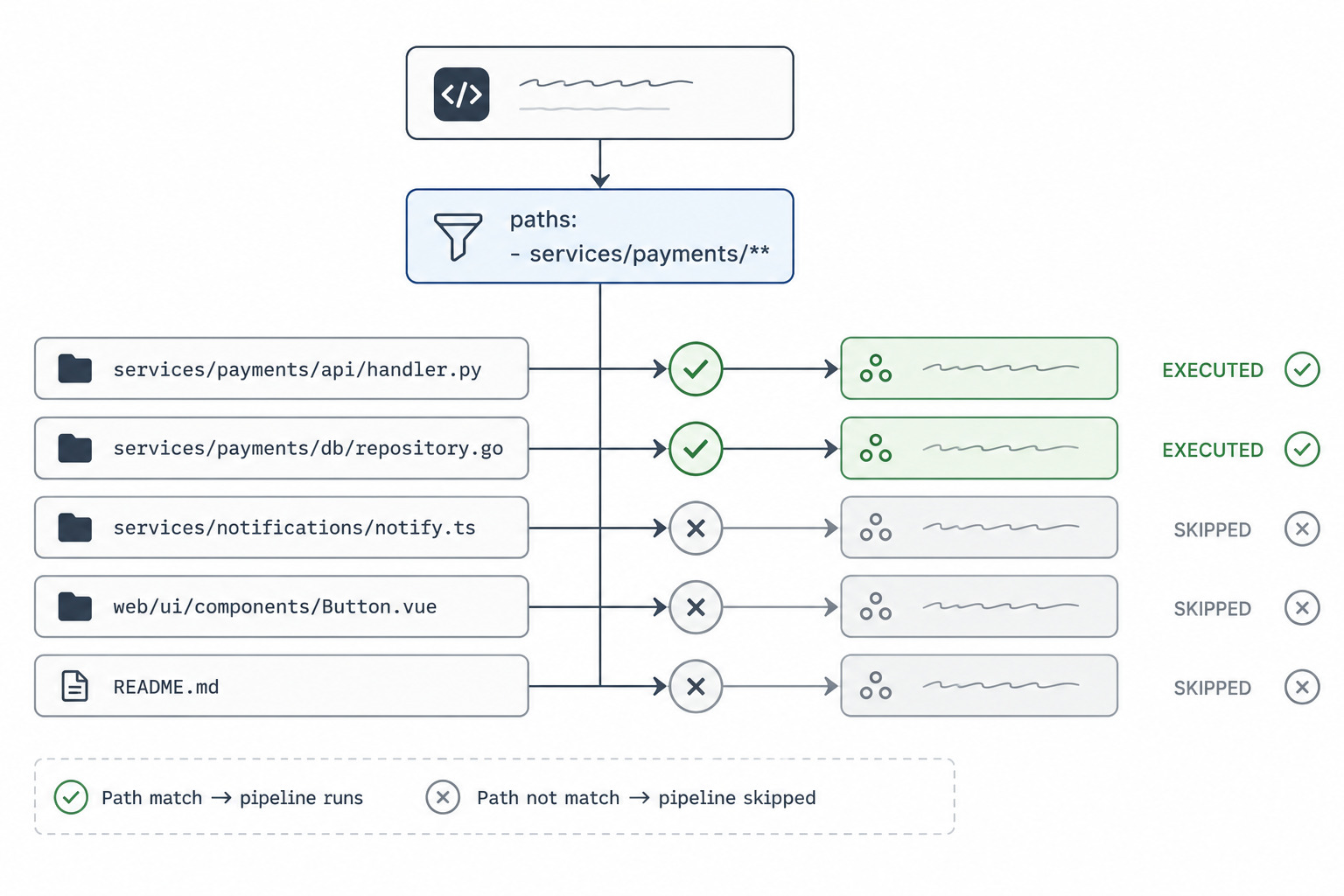
This is where selective workflows come in. Configure your workflows to only run on given paths. For example:
- If you are just changing documentation, skip everything, except maybe for spellcheck and doctests.
- If you change code, run everything.
- Changing IaC if co-located, run terraform plan and/or apply.
Considering now that you have a monorepo for multiple services, you can even configure the CI to selectively run tests only on the affected service, instead of running everything.
As an example, this can be roughly done this way in CircleCI:
# .circleci/config.yml
version: 2.1

setup: true

orbs:
  path-filtering: circleci/path-filtering@1

workflows:
  setup:
    jobs:
      - path-filtering/filter:
          base-revision: main
          config-path: .circleci/continue.yml
          mapping: |
            services/api/.* run-api true
            web/.* run-web true
# .circleci/continue.yml
version: 2.1

parameters:
  run-api:
    type: boolean
    default: false
  run-web:
    type: boolean
    default: false

jobs:
  test-api:
    docker:
      - image: cimg/base:stable
    steps:
      - checkout
      - run: echo "Run API tests"

  test-web:
    docker:
      - image: cimg/base:stable
    steps:
      - checkout
      - run: echo "Run web tests"

workflows:
  api:
    when: << pipeline.parameters.run-api >>
    jobs:
      - test-api

  web:
    when: << pipeline.parameters.run-web >>
    jobs:
      - test-web
The key is to define conservative boundaries. Shared libraries, build tooling and infrastructure changes should usually trigger broader workflows.
You map paths to a run-* parameter that controls whether the corresponding job is executed, then
the workflow only runs the jobs that have their run-* parameter set to true.
Strategy 5: Filtering by Test Impact Analysis
This is an advanced strategy that you can filter tests by the impact your changes have to the codebase. The idea behind it is having a way to pick all the symbols your changes affect in your code and then filtering tests that touch those symbols.
This is an art in and of itself, but you can think of it in terms of test coverage reports.
If you have a coverage file committed to your target branch, then a CI job can filter your tests by:
- Introspecting the change code to determine which symbols are affected
- Comparing the affected symbols to the coverage report to determine which functions are touched
- Building an Abstract Syntax Tree (AST) of your codebase to determine which tests touch each function
- Returning a list of impacted tests to run
- After merging, recalculate the coverage report and update the target branch
There are libraries available that can help you with this impact analysis, like python pytest-testmon.
Beware though that there is one downside when filtering: these won’t catch dependency changes, so when you are adding/bumping dependencies, I recommend you to run all tests instead.
This should not fully replace your complete test suite. It works best as a PR-time optimization, while scheduled or post-merge workflows still run the broader suite.
The Bottom Line
Developer experience is too critical to leave unoptimized and slow PR cycles remain one of the most persistent drains on a team’s morale.
When your CI/CD pipeline is fast and reliable, it removes a massive layer of daily friction. Engineers stay focused on writing clean code and shipping features rather than losing momentum waiting for a loader to finish spinning. Maintaining a healthy, predictable automation suite actively protects your team from burnout and unlocks true engineering velocity.
If your pipeline is starting to slow your team down, let’s talk. I can help you audit your automation bottlenecks and get your deployment cycles back to where they should be.
